What Make your PDF look scanned in browser does
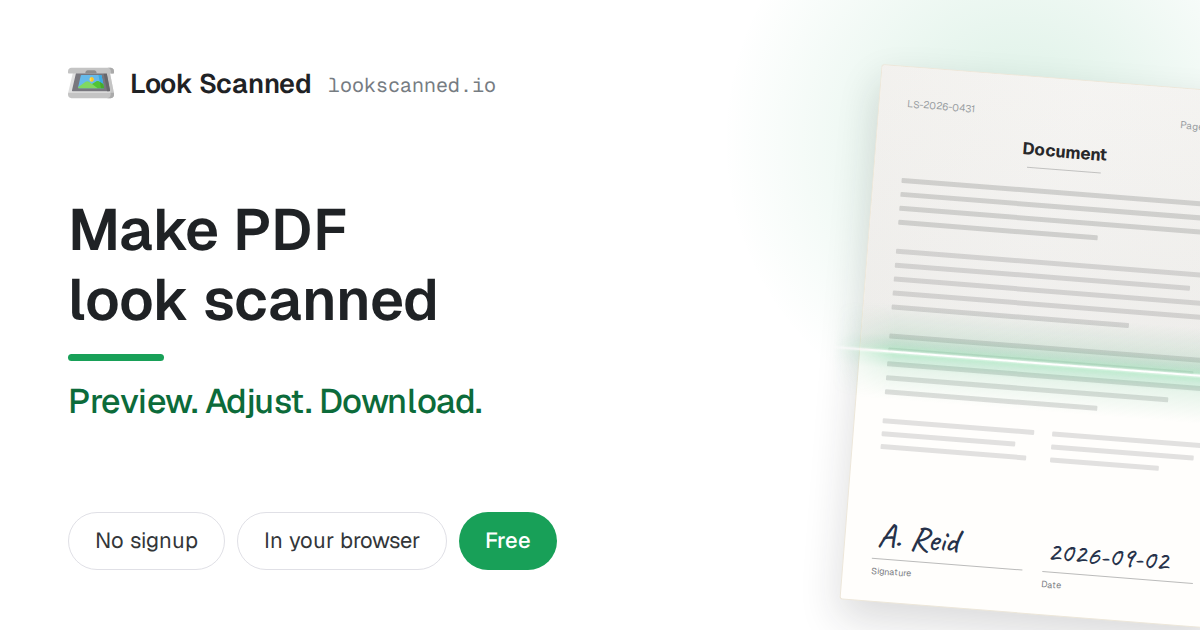
Look Scanned is a service that turns PDFs, Office documents, and images into realistic scanned copies with scan effects, watermarks, and stamps right in the browser.
The service is free, with no signup required, and files stay on the user's device.
Look Scanned can be used to convert various file formats, including PDFs, images, and Office documents, into scanned-looking PDFs.
The service offers local processing, which means that source files are not sent to a processing server and are not stored in the cloud.
Who it is for
Pricing model: Free. Is Make your PDF look scanned in browser free? Check current plans ↗
Website languages: en, zh-CN, zh-TW, zh-HK, es, fr, de, it, ja, ko, ru, pt, ar, hi, tr, nl, sv, pl, vi, th, id, he, ms, no, bn, el, uk, cs, hu, ro
Signals
Health Score
Health Score 93 · based on 70 of 100 methodology points (70% coverage). Missing signals are omitted, not scored as zero.
Make your PDF look scanned in browser's score uses only signals already on file. Missing Lighthouse, reviews or a 7-day availability window are omitted, not scored as zero. This is not a stored badge fact.
How the Health Score is calculated →- Availability25/25
8 of 8 daily checks succeeded (100.0%).
Recorded - Lighthouse performanceomitted
No Lighthouse performance score has been recorded.
Not recorded - Lighthouse qualityomitted
No Lighthouse SEO, accessibility or best-practices scores have been recorded.
Not recorded - HTTP Observatory15/20
Mozilla HTTP Observatory grade B.
Recorded - HTTPS5/5
The official listing URL uses HTTPS.
Recorded - Community5/5
No published reviews (omitted) · 19 community awards.
Recorded - Listing completeness10/10
Description, tagline, logo, category and official URL are all on file.
Recorded - Check freshness5/5
Last recorded HTTP check was today.
Recorded
Key features
Pros and cons
Pros
- Listed as freeOfficial website, recorded at listing time
- Open source (MIT)https://github.com/lookscanned/lookscanned.io
- Free standard scanninghttps://lookscanned.io/
- Local processinghttps://lookscanned.io/
Cons
- API Scan requires file uploadhttps://lookscanned.io/
Platforms & integrations
How Make your PDF look scanned in browser compares
 Make your PDF look scanned in browser |  Bing Image Creator |  Perchance |  PixAI |  OpenArt | ||
|---|---|---|---|---|---|---|
| Pricing | Free | Free | — | Free plan | Free plan | Free |
| Awards | 19 | 6167 | 971 | 2291 | 1794 | 628 |
| Origin | — | — | — | United States | — | — |
| Founded | — | — | — | 2022 | — | — |
| Security | B | B | C- | D+ | C | B |
Make your PDF look scanned in browser vs Bing Image CreatorMake your PDF look scanned in browser vs PerchanceMake your PDF look scanned in browser vs PixAI


Ratings & reviews
Used this tool? Share a specific experience to help the next person.
Security & trust
Open source
License: MIT · 27 open issues and pull requests
Last commit 1 years ago
Popularity over time
Maker Crown global rank
Weighted 30-day community awards + 0.01 × views + 0.1 × clicks. Category rank #57.
GitHub stars
3,608
2026-11-24 – 2026-11-24 · https://github.com/lookscanned/lookscanned.io
Availability
100.0% of 8 observed checks responded · daily snapshots
Community buzz
Common questions
Are my files uploaded?
Standard and bulk scans run locally in your browser, so source files are not sent to a processing server and are not stored in the cloud. API Scan is a separate online service that does upload files for processing.
Which file formats are supported?
PDFs, images, and Office documents such as Word, PowerPoint and Excel. Everything exports as a scanned-looking PDF with the original layout preserved as closely as possible.
Can I use it offline?
Once the resources standard scanning needs are cached, you can convert files locally in your browser with no connection. Account, payment and API Scan features still need one.
Does it work on a phone?
Yes. It is optimized for touch and runs in modern mobile browsers on iPhone, iPad and Android — with no app to install.
How is this different from a real scanner?
Look Scanned simulates the look of a scan with blur, noise, rotation and paper tone. No printer and no scanner are involved, so you get a convincing scanned PDF in seconds.
Do I have to pay?
Standard scanning is free and needs no signup. Bulk Scan, API Scan and other advanced capabilities are described on the Pro page.
What is Make your PDF look scanned in browser?
Look Scanned is a tool that turns PDFs, Office docs and images into realistic scanned copies. It helps users create scanned-looking files online. It is free and private.
What is the Maker Crown Health Score for Make your PDF look scanned in browser?
Health Score 93 · based on 70 of 100 methodology points (70% coverage). Missing signals are omitted, not scored as zero.
How is Make your PDF look scanned in browser priced?
Free. Check the official pricing page for current plans and terms.
Is there a free plan for Make your PDF look scanned in browser?
The listing records this product as free.
Is Make your PDF look scanned in browser free?
Yes, according to the records we hold. The directory lists Make your PDF look scanned in browser as free. We do not have a detailed official plan snapshot on file. Check the official site for current terms; recorded pricing can change and is not a quote.
Who is Make your PDF look scanned in browser for?
Best for: Individuals, Professionals.
What is Make your PDF look scanned in browser best for?
The listing records Make your PDF look scanned in browser as best for Individuals, Professionals. That line comes from the catalog record, not from a Maker Crown test.
What can Make your PDF look scanned in browser do?
Recorded features: Convert to scanned PDF, No signup, Files stay on your device, Convert PDFs, Office documents, and images into scanned-looking PDFs. Empty fields mean we have not recorded that fact.
What are the best Make your PDF look scanned in browser alternatives?
Other tools in the same category in this catalog include Bing Image Creator, Perchance, PixAI, OpenArt. They are ranked by community awards, then recorded popularity, and the list is not a paid placement.
What category is Make your PDF look scanned in browser listed in?
Make your PDF look scanned in browser is filed under Image & Art in the Maker Crown catalog. You can browse every live Image & Art tool from the category page, and free options have their own list.
Where can I find more Image & Art tools?
The Image & Art category page lists every live Image & Art tool in the catalog. The free and open-source lists narrow that to recorded pricing, and alternatives pages show what sits next to Make your PDF look scanned in browser.
When was Make your PDF look scanned in browser last checked?
The listing was last checked 1 hour ago (25 November 2026). Every fact on the page carries the date it was recorded, and the method is documented at /how-we-test.
How does Maker Crown rank tools?
By community awards first, then recorded popularity (a Tranco rank when we have one), then discovery signal. It is not a paid ranking, and empty fields mean we have not recorded that fact.
Add a Maker Crown badge to your website. Every badge is a dofollow link back to this tool's page.
Claim this listing and add a badge or a makercrown-verify meta tag on your domain to earn Verified on Maker Crown. Verify ownership →
On this listing
Listed on Maker Crown
Every live listing can show this badge.
<a href="https://makercrown.com/tool/make-your-pdf-look-scanned-in-browser?ref=badge" target="_blank" rel="noopener"><img src="https://makercrown.com/badge/make-your-pdf-look-scanned-in-browser/listed.svg?theme=light" alt="Make your PDF look scanned in browser is listed on Maker Crown" width="300" height="72" /></a>
Featured in a category
Listed tools with a known category get a category badge and icon.

<a href="https://makercrown.com/tool/make-your-pdf-look-scanned-in-browser?ref=badge" target="_blank" rel="noopener"><img src="https://makercrown.com/badge/make-your-pdf-look-scanned-in-browser/category.svg?theme=light" alt="Make your PDF look scanned in browser is featured in Image & Art on Maker Crown" width="300" height="72" /></a>
Upvote counter
A live count of community awards (upvotes) on Maker Crown.
<a href="https://makercrown.com/tool/make-your-pdf-look-scanned-in-browser?ref=badge" target="_blank" rel="noopener"><img src="https://makercrown.com/badge/make-your-pdf-look-scanned-in-browser/upvotes.svg?theme=light" alt="Make your PDF look scanned in browser has 19 community awards on Maker Crown" width="300" height="72" /></a>
Earned
Open Source Hero
The listing is marked open source, or we have a recorded GitHub stars fact for it.
<a href="https://makercrown.com/tool/make-your-pdf-look-scanned-in-browser?ref=badge" target="_blank" rel="noopener"><img src="https://makercrown.com/badge/make-your-pdf-look-scanned-in-browser/opensource.svg?theme=light" alt="Make your PDF look scanned in browser is an Open Source Hero on Maker Crown" width="300" height="72" /></a>
Keep exploring
Compare Make your PDF look scanned in browser
- Make your PDF look scanned in browser vs Bing Image Creator
- Make your PDF look scanned in browser vs Perchance
- Make your PDF look scanned in browser vs PixAI
- Make your PDF look scanned in browser vs OpenArt
- All alternatives
- Is Make your PDF look scanned in browser free?
- Build a stack with Make your PDF look scanned in browser