
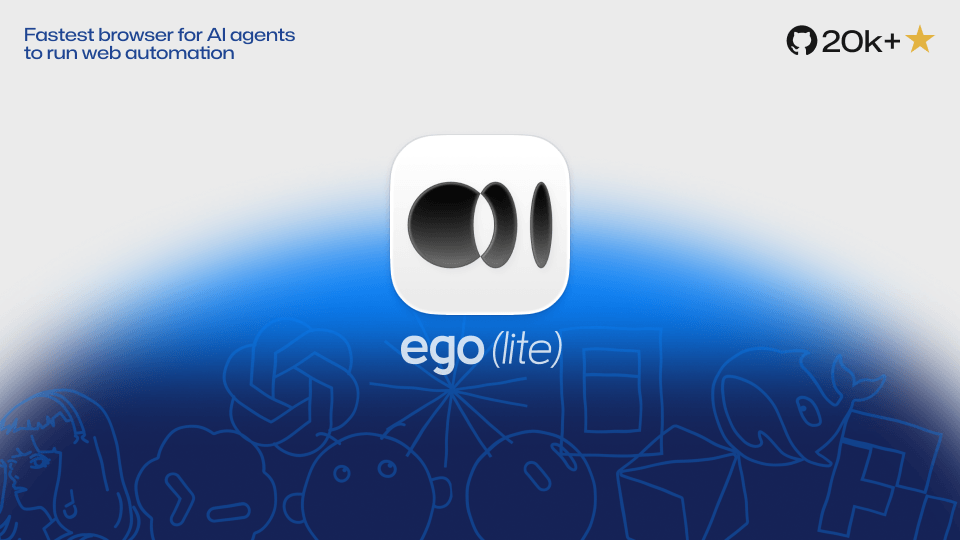
What Ego Lite does
ego (lite) is a browser designed for AI agents to run web automation tasks.
It allows users to share their browser with their AI agents, eliminating the need for separate browsers or setups.
The browser is built on Chromium and works like Chrome, but with an added feature called Space, where AI agents can run tasks without disrupting the user's workflow.
ego (lite) can be used for various tasks such as research, sales, marketing, finance, and legal work, and it supports multiple AI agents, including Claude Code, Codex, and Cursor.
Who it is for
Pricing model: Open source. Is Ego Lite free? Check current plans ↗
Signals
Health Score
Health Score 93 · based on 55 of 100 methodology points (55% coverage). Missing signals are omitted, not scored as zero.
Ego Lite's score uses only signals already on file. Missing Lighthouse, reviews or a 7-day availability window are omitted, not scored as zero. This is not a stored badge fact.
How the Health Score is calculated →- Availability10/10
1 of 1 daily checks succeeded (100.0%). Tracking since 2026-11-25; the full 25-point window opens after 7 days.
Recorded - Lighthouse performanceomitted
No Lighthouse performance score has been recorded.
Not recorded - Lighthouse qualityomitted
No Lighthouse SEO, accessibility or best-practices scores have been recorded.
Not recorded - HTTP Observatory16/20
Mozilla HTTP Observatory grade B+.
Recorded - HTTPS5/5
The official listing URL uses HTTPS.
Recorded - Community5/5
No published reviews (omitted) · 64 community awards.
Recorded - Listing completeness10/10
Description, tagline, logo, category and official URL are all on file.
Recorded - Check freshness5/5
Last recorded HTTP check was today.
Recorded
Key features
Facts
Company
- Founded2026
Pros and cons
Pros
- Open-source pricing modelOfficial website, recorded at listing time
- Open source (MIT)https://github.com/citrolabs/ego-lite
- Faster than other browser toolshttps://lite.ego.app/
- Higher success ratehttps://lite.ego.app/
- Lower costhttps://lite.ego.app/
Platforms & integrations
How Ego Lite compares






Ratings & reviews
Used this tool? Share a specific experience to help the next person.
Security & trust
Open source
License: MIT · 323 open issues and pull requests
Last commit 9 days ago
Popularity over time
GitHub stars
24,413
2026-11-25 – 2026-11-25 · https://github.com/citrolabs/ego-lite
What's new
- v2.2.1
v2.2.1 includes changes such as moving the real-browser E2E gate to pre-push and shortening it
- v2.2.0
v2.2.0 includes features such as collapsing click actionability checks into one injected call and fixes
- v2.1.0
v2.1.0 includes other changes such as packaging ego-browser plugins for nine agent hosts
- v2.0.0
v2.0.0 includes features such as merging dev into main and fixes
- v1.2.3
v1.2.3 includes other changes such as migrating uncovered regression cases into real-browser e2e
Availability
100.0% of 1 observed checks responded · daily snapshots
Community buzz
1 Hacker News mentions
Common questions
What is ego(lite)?
ego(lite) is the agent browser built to share with your AI agents, like Codex or Claude Code. Zero cost, zero config. Let them handle any web automation effortlessly. Existing tools like Browser Use and agent-browser are browser automation frameworks. They need a separate browser to drive, logins never carry cleanly, and you and the agent end up fighting for the same tabs. ego(lite) is one browser designed from the start for the two of you to share — no extra setup, and the agent can always reach your real logins and tabs through ego-browser.
What is an agent browser?
An agent browser is a browser built to be driven by AI agents instead of only a human. It lets users and their AI agents use the browser at the same time without disrupting each other. The agent gets a real window, tabs, and (ideally) your logins, rather than a headless instance it has to configure from scratch. ego(lite) is that agent browser: the same Chromium you use every day, with a Space where Claude Code, Codex, or Cursor can click, fill, and read pages on their own. Compare that to a browser automation framework like Browser Use or Puppeteer, which drives a separate, blank browser inst
How is ego(lite) different from Playwright or Puppeteer?
Playwright and Puppeteer are browser automation libraries you embed in code. They drive pages through CSS selectors, which break whenever a site reshuffles its DOM. ego(lite) is a real browser plus ego-browser. ego-browser is the connection layer between any agent product (Claude Code, Codex, Cursor, or your own) and ego(lite) — it exposes the browser as a set of in-page JavaScript tools: snapshot, fill, click, wait, navigate, capture. The agent writes a JavaScript snippet that composes several steps using those tools, and ego-browser runs it on the page in one pass, instead of the one-tool-at
How is ego(lite) different from Browser Use or Vercel's agent-browser?
ego(lite) is a real browser plus ego-browser. Whichever agent you use, whether that's ego, Claude Code, Codex, Cursor, or something else, drives the same browser you use daily. Space keeps the agent's work isolated from yours. Browser Use is an autonomous agent framework. It bundles its own LLM loop and drives a separate browser instance. You can point it at a real Chrome, but only after you fully close it. Extensions don't load by default. And it has its own pricing tier on top of whatever you already pay for. Vercel's agent-browser is a CLI that lets your agent control a browser through shel
Does ego(lite) work with Claude Code, Codex, and Cursor?
Yes. Any agent that can run a shell command can drive ego(lite) through ego-browser: • ego, Claude Code, Codex, Cursor, Continue, Gemini CLI • Hermes Agent, OpenClaw, OpenCode • Any custom in-house agent you've built ego-browser installs as a skill into your agent's skill directory during onboarding. The agent then calls browser automation commands the same way it runs any other shell tool. There's no SDK to integrate, and you're not locked into a specific model.
Can ego(lite) replace Chrome as my main browser?
Yes. ego(lite) is built on Chromium, so the address bar, tab groups, bookmarks, profiles, extensions, downloads, and incognito mode behave the way they do in Chrome. The difference is Space: an isolated workspace where your AI agent runs web automation alongside you, and doesn't touch your tabs unless you let it.
Can I bring my Chrome bookmarks, passwords, and extensions into ego(lite)?
Yes. ego(lite)'s onboarding migrates the following from Chrome in one click: • Tabs and tab groups you're using • Bookmarks and saved passwords • Browser extensions • Cookies and login sessions • Browser profiles Every site you've already signed into stays signed in, and the agent inherits the same logged-in state. It doesn't need to re-authenticate to Gmail, Notion, LinkedIn, or your internal tools every time it runs a task.
Can I keep using my browser while the agent runs tasks?
Yes. The agent runs inside Space, an isolated workspace in ego(lite). It works in its own area, so your tabs stay untouched unless you explicitly hand one over. It doesn't take over your mouse or steal focus from whatever you're doing. Switch into Space anytime to watch the agent work, or ignore it and keep working in your own window.
How does ego(lite) reduce token usage for browser automation?
What gets cheaper is the whole task, not any single step. The savings come from several features stacking together. The agent can run several actions in the page with a few lines of JavaScript, instead of calling one tool at a time and waiting for each result before deciding the next, the way Playwright, Puppeteer, and most browser automation frameworks work. Combined, complex browser automation tasks complete faster and on fewer tokens overall.
Is my data safe when an AI agent uses ego(lite)?
ego(lite) runs on your own computer. Your passwords, cookies, bookmarks, and browsing history are stored there, as in any desktop browser, and they stay under your control. When your agent works on a page, it sends that page's content to the model you chose for it. You can watch the agent in its Space and take over at any time.
What is Ego Lite?
Ego Lite is a browser for AI agents to run browser automation, helping users like Codex or Claude Code automate complex websites. It allows sharing of logged-in browser state without disturbance. Ego Lite enables fast and reliable web automation.
What is the Maker Crown Health Score for Ego Lite?
Health Score 93 · based on 55 of 100 methodology points (55% coverage). Missing signals are omitted, not scored as zero.
How is Ego Lite priced?
Open source. Check the official pricing page for current plans and terms.
Is there a free plan for Ego Lite?
The product is listed as open source.
Is Ego Lite free?
It is listed as open source. The directory lists Ego Lite as open source. That does not always mean hosted use is free. We do not have a detailed official plan snapshot on file. Check the official site for current terms; recorded pricing can change and is not a quote.
Who is Ego Lite for?
Best for: AI agents, Developers.
What is Ego Lite best for?
The listing records Ego Lite as best for AI agents, Developers. That line comes from the catalog record, not from a Maker Crown test.
What can Ego Lite do?
Recorded features: Fast browser automation, Zero config, Shares logged-in browser state, Works with any AI agent. Empty fields mean we have not recorded that fact.
What are the best Ego Lite alternatives?
Other tools in the same category in this catalog include Latxa, ID@Xbox, Cursor, GitBook. They are ranked by community awards, then recorded popularity, and the list is not a paid placement.
What category is Ego Lite listed in?
Ego Lite is filed under Developer Tools in the Maker Crown catalog. You can browse every live Developer Tools tool from the category page, and free options have their own list.
Where can I find more Developer Tools tools?
The Developer Tools category page lists every live Developer Tools tool in the catalog. The free and open-source lists narrow that to recorded pricing, and alternatives pages show what sits next to Ego Lite.
When was Ego Lite last checked?
The listing was last checked 8 hours ago (25 November 2026). Every fact on the page carries the date it was recorded, and the method is documented at /how-we-test.
How does Maker Crown rank tools?
By community awards first, then recorded popularity (a Tranco rank when we have one), then discovery signal. It is not a paid ranking, and empty fields mean we have not recorded that fact.
Add a Maker Crown badge to your website. Every badge is a dofollow link back to this tool's page.
Claim this listing and add a badge or a makercrown-verify meta tag on your domain to earn Verified on Maker Crown. Verify ownership →
On this listing
Listed on Maker Crown
Every live listing can show this badge.
<a href="https://makercrown.com/tool/ego-lite?ref=badge" target="_blank" rel="noopener"><img src="https://makercrown.com/badge/ego-lite/listed.svg?theme=light" alt="Ego Lite is listed on Maker Crown" width="300" height="72" /></a>
Featured in a category
Listed tools with a known category get a category badge and icon.
<a href="https://makercrown.com/tool/ego-lite?ref=badge" target="_blank" rel="noopener"><img src="https://makercrown.com/badge/ego-lite/category.svg?theme=light" alt="Ego Lite is featured in Developer Tools on Maker Crown" width="300" height="72" /></a>
Upvote counter
A live count of community awards (upvotes) on Maker Crown.
<a href="https://makercrown.com/tool/ego-lite?ref=badge" target="_blank" rel="noopener"><img src="https://makercrown.com/badge/ego-lite/upvotes.svg?theme=light" alt="Ego Lite has 64 community awards on Maker Crown" width="300" height="72" /></a>
Earned
Open Source Hero
The listing is marked open source, or we have a recorded GitHub stars fact for it.
<a href="https://makercrown.com/tool/ego-lite?ref=badge" target="_blank" rel="noopener"><img src="https://makercrown.com/badge/ego-lite/opensource.svg?theme=light" alt="Ego Lite is an Open Source Hero on Maker Crown" width="300" height="72" /></a>